Can AI turn UX wireframes into polished designs? I put Figma Make to the test, exploring where it accelerates the design process, where it falls short, and why human expertise still matters.
01/The Experiment
I wanted to explore how Figma Make could fit into my UX workflow, so I used an NMLS Consumer Access redesign as my test project.
Before introducing AI, I completed a heuristic evaluation, identified usability problems, brainstormed solutions, and created an updated user flow, wireframes, and a style guide.
Then, I uploaded the original interface, my wireframes, and my style guide into Figma Make, along with a prompt explaining my design goals.
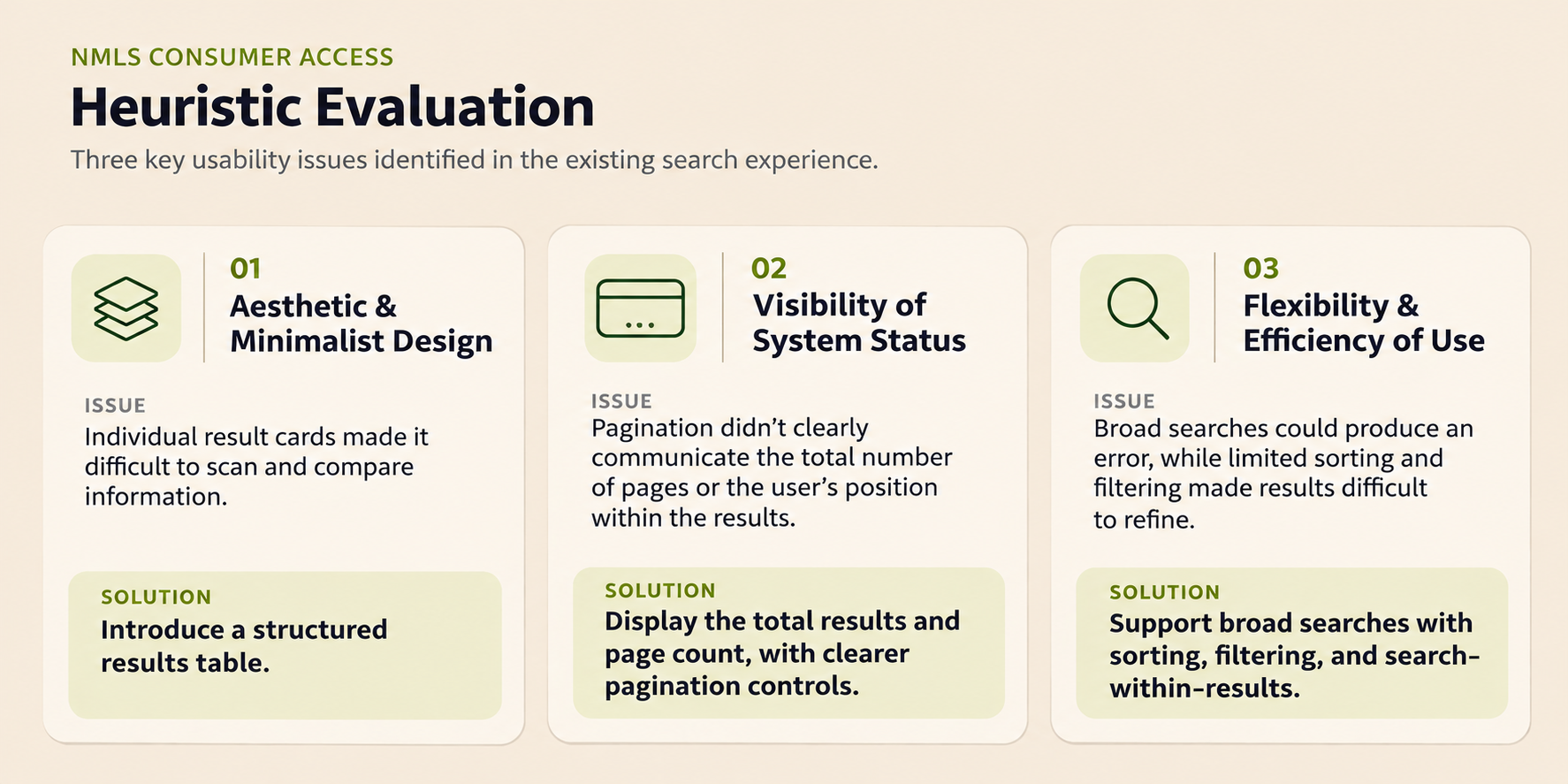
Heuristic Evaluation
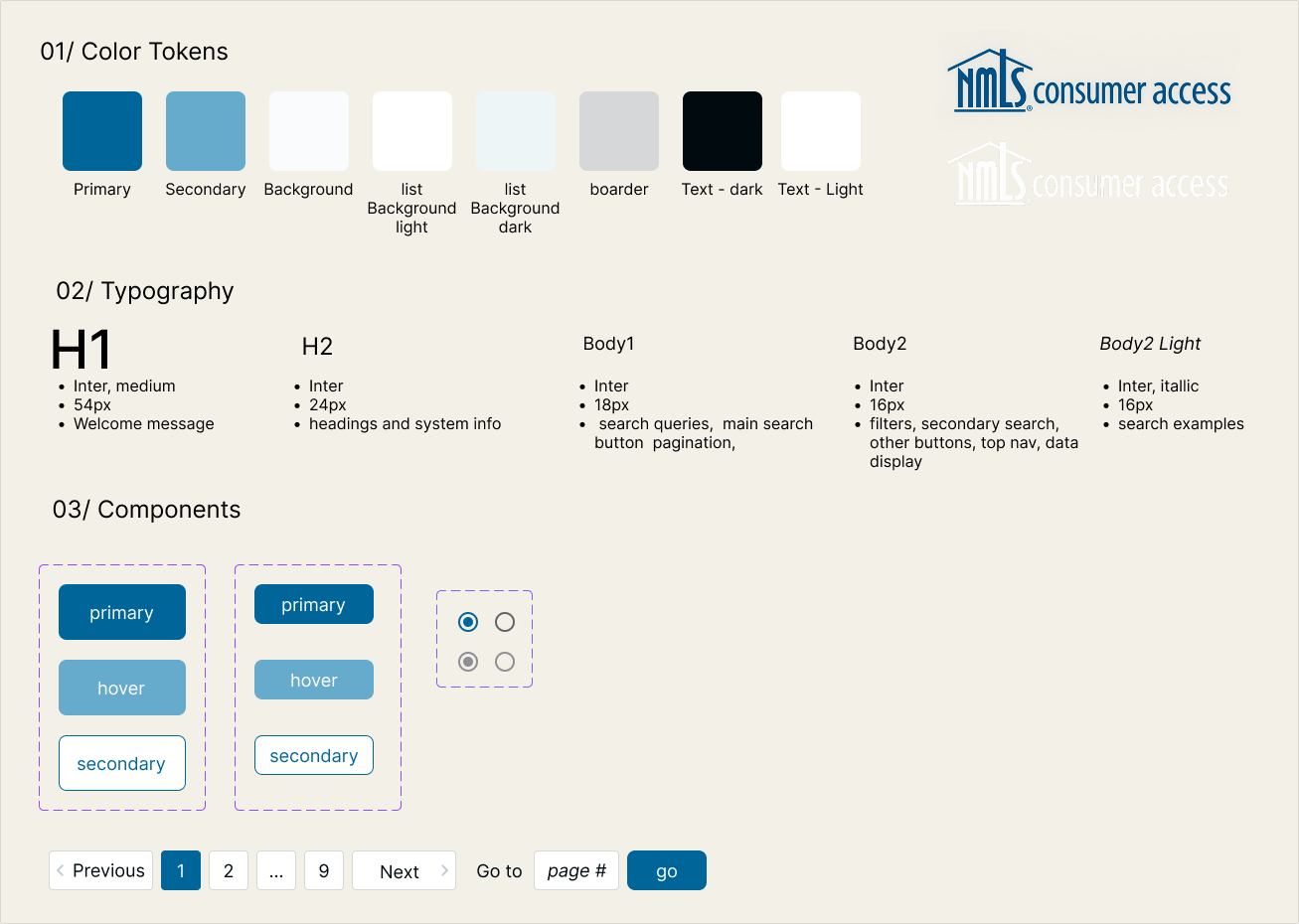
Style Guide
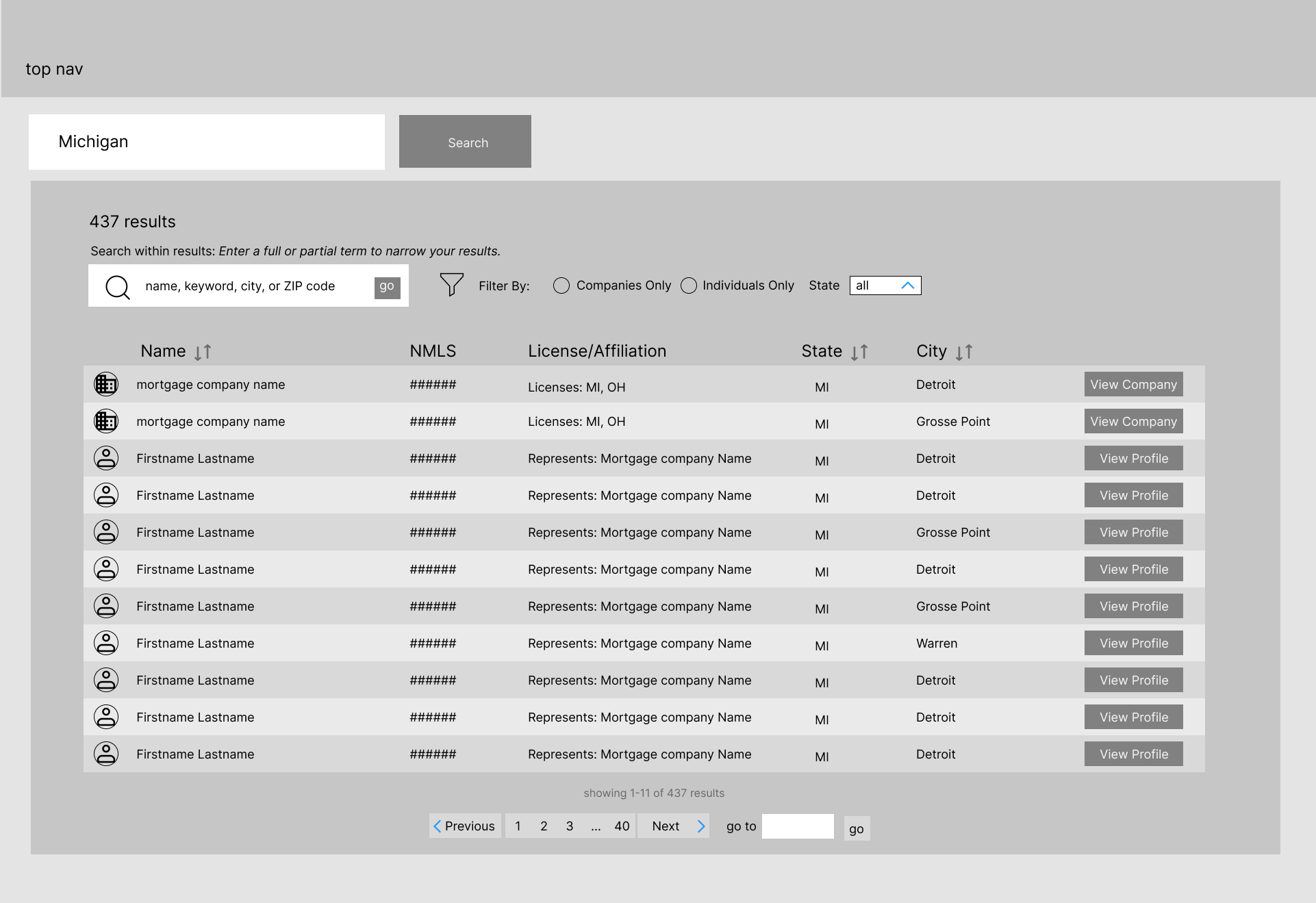
Wireframe example
02/What WORKED
I was impressed by how closely Figma Make followed my wireframes. It preserved the essential layout components, added visual polish, and stayed within my established color palette.
I found that Figma Make performed best when designing simpler interfaces, like the homepage. As the designs became more complex, particularly with the data-heavy search results page, it struggled with some of the finer details. Overall, it was a great tool for quickly turning my ideas into high-fidelity designs without building every element from scratch.
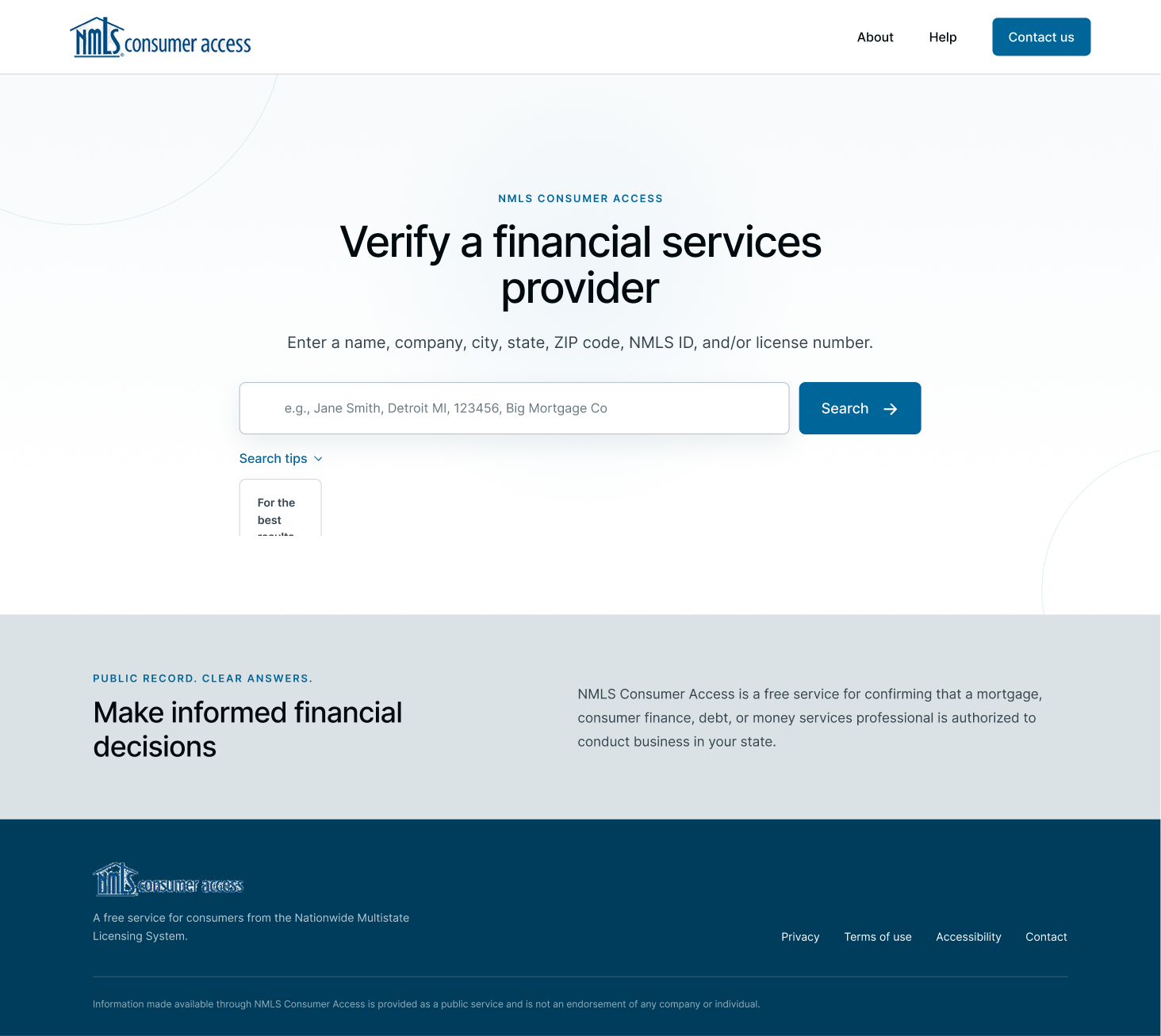
Homepage generated with Figma Make
03/What Didn't WORK
Typography was the biggest issue. Despite specifying 16px as my smallest text size in the style guide, Figma Make generated some text as small as 10px. This was an accessibility issue because I was designing a desktop interface. I had to explicitly request certain dimensions to get the results I wanted.
I also noticed that asking it to change one element sometimes caused unexpected changes elsewhere. After a few rounds of prompting, making adjustments manually became easier than continuing to iterate with AI.
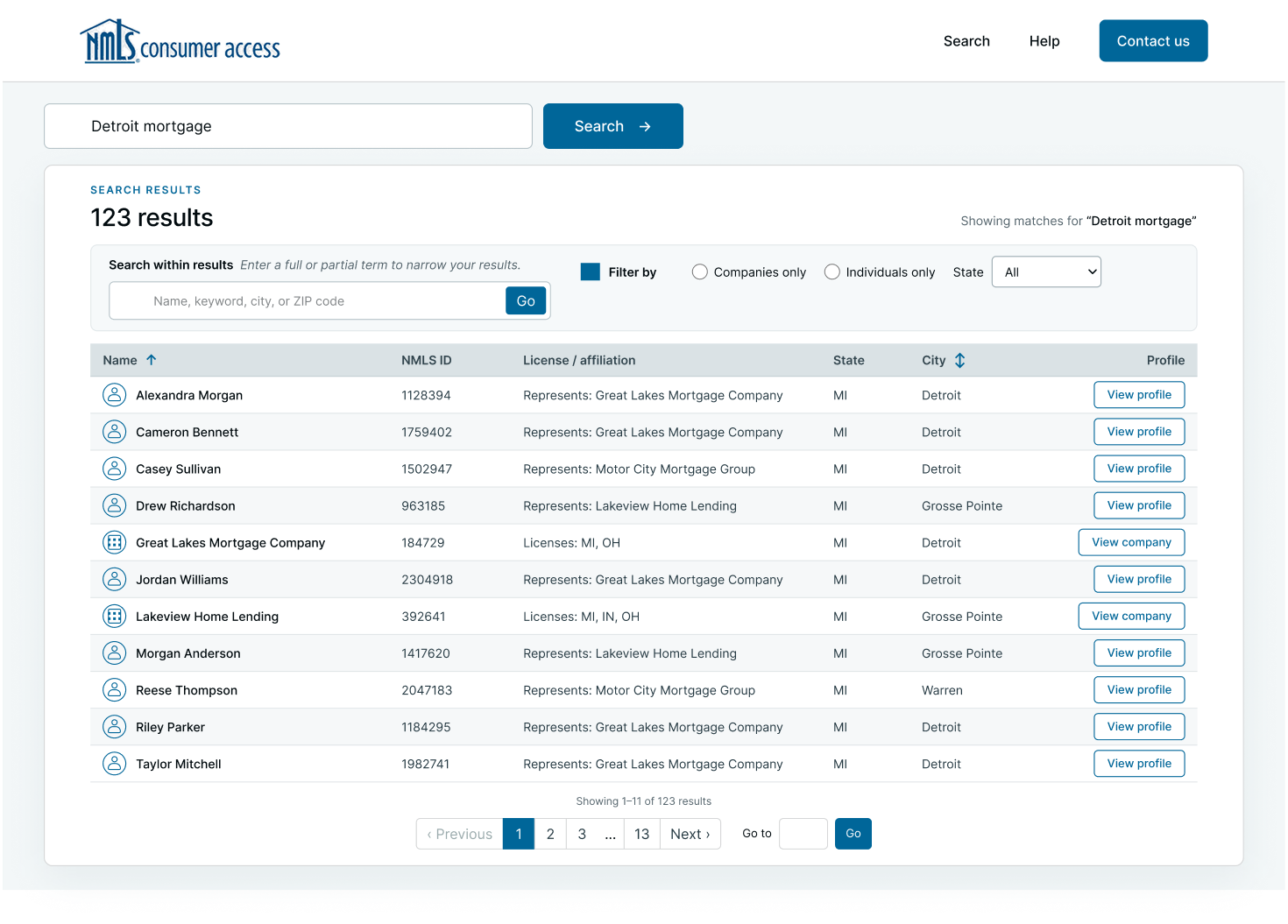
Search results designed with Figma Make
04/My Takeaway
Figma Make works best as a creative collaborator, not a replacement for the designer.
I found it most effective to complete the UX groundwork myself, use AI to generate a high-fidelity starting point, and then transfer the design into Figma for final refinements.
The experiment showed me that AI can accelerate visual design, but human expertise is still essential for accessibility, consistency, and the finer details that make an interface work.

Final homepage design
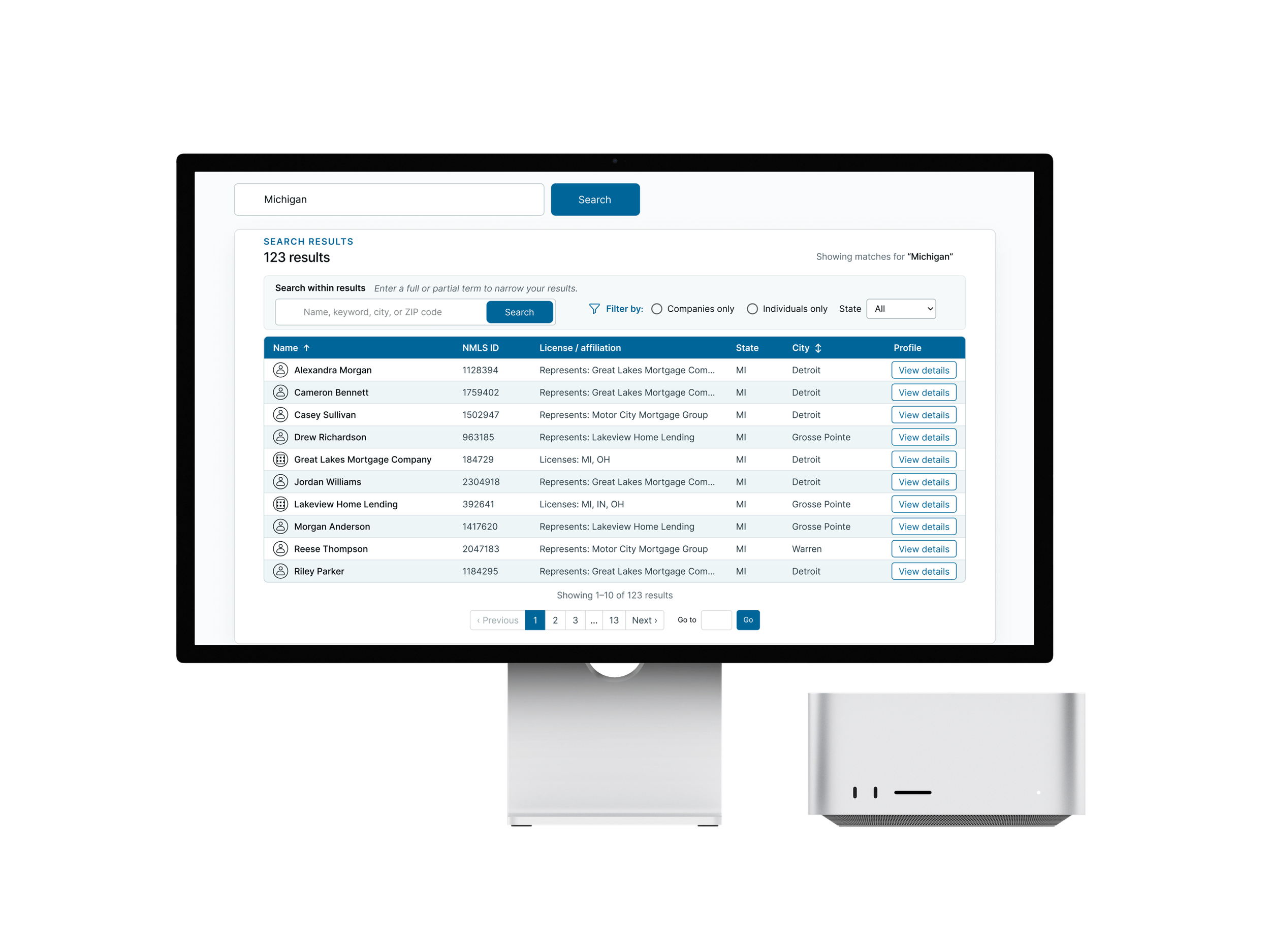
Final search results design